Offline Reading in the Wuxiaworld App
Read your favorite novels even without an internet connection using the Wuxiaworld application. Offline Reading is available only on the Android and iOS apps and is not supported on the website.
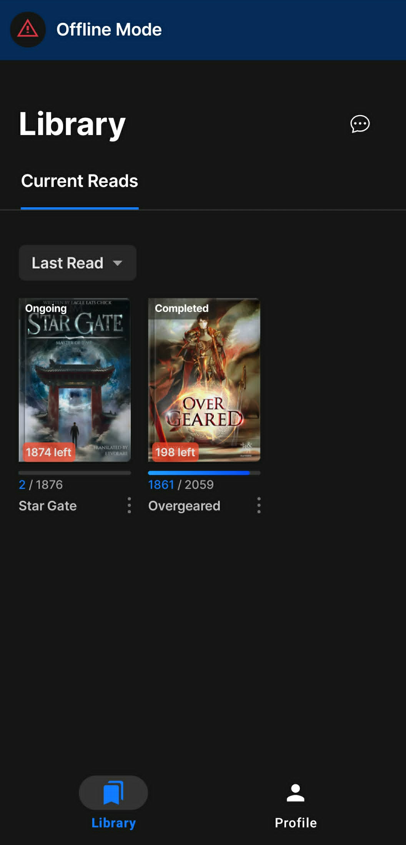
Available Offline Options
You can download content for offline reading if you have one of the following:
- VIP / Champion subscription – Download chapters you currently have access to from any novel while your subscription is active.
- Ebook owned – Download purchased/redeemed Ebook novel and read them anytime.
Note: Offline reading is only available through the Wuxiaworld mobile app or by downloading Ebooks for use in supported third-party ebook readers.
How to Download Chapters
- Open any chapter of an eligible novel.
- Tap the Download icon (the first button on the left in the bottom menu).
- Select the chapter range you want to download using the From and To fields.
- Example: From Chapter 50 → To Chapter 200
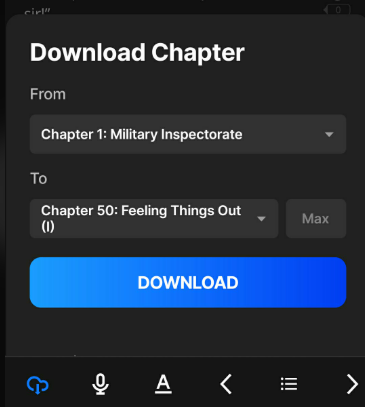
- Example: From Chapter 50 → To Chapter 200
- Tap Download.
- The download will begin, and a progress indicator with a percentage will be displayed until the download is complete.
How to Verify Downloaded Chapters
After the download finishes:
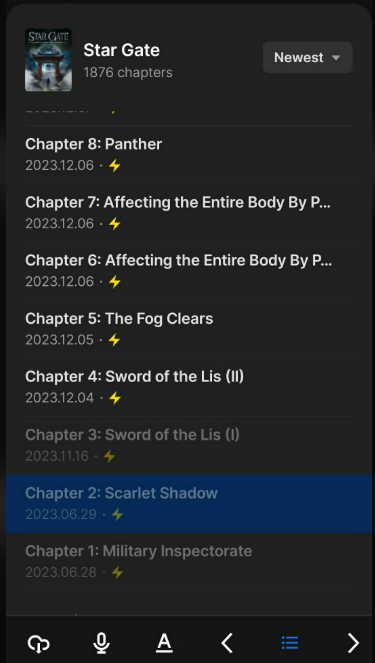
- Open the Chapter List by tapping the Chapter List icon (located between the Previous Chapter and Next Chapter buttons in the bottom menu).
- Downloaded chapters will display a lightning bolt icon, indicating they are available for offline reading.
Accessing Downloaded Novels
To view your downloaded content:
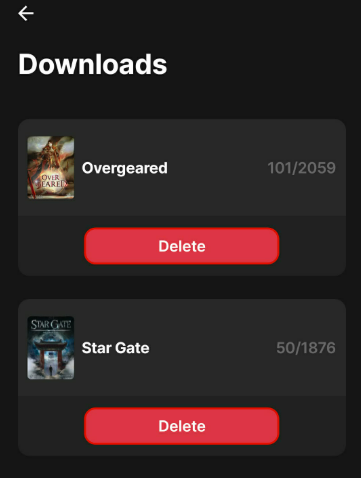
- Open the Profile page.
- Select Downloads.
If your device is offline, only your downloaded novels will appear in your library.
Managing Downloads
You can remove downloaded novels at any time:
- Go to Profile > Downloads.
- Delete the downloaded novel from the list.
Note: If you uninstall the Wuxiaworld app or clear the app's data, all downloaded chapters will be removed from your device. You can download them again after reinstalling the app or signing back in.
Frequently Asked Questions
Can I read offline on the Wuxiaworld website?
No. Offline Reading is only available in the Wuxiaworld mobile app.
How do I know if a chapter has been downloaded?
Downloaded chapters display a lightning bolt icon in the chapter list.
Where are my downloaded novels?
Go to Profile > Downloads in the app.
Will my downloads remain after reinstalling the app?
No. Downloaded chapters are stored locally on your device. If you uninstall the app or clear its data, you'll need to download the chapters again.
Was this article helpful?
That’s Great!
Thank you for your feedback
Sorry! We couldn't be helpful
Thank you for your feedback
Feedback sent
We appreciate your effort and will try to fix the article